
When I train I don’t want mental exercise. I want physical exercise. I want to get to the gym, open an app, check today’s exercises, see how each weight compares with last session, and be told how much to lift. That’s all. The thinking is the app’s job.
baseline is the app I built for that. I made it to train with progressive overload, which means a little more than last time, and to enjoy the process. I built it at first only for myself, with AI tools. Its icon shows the idea: the line is your baseline, and the orange dot is you, holding above it.1
No keyboard
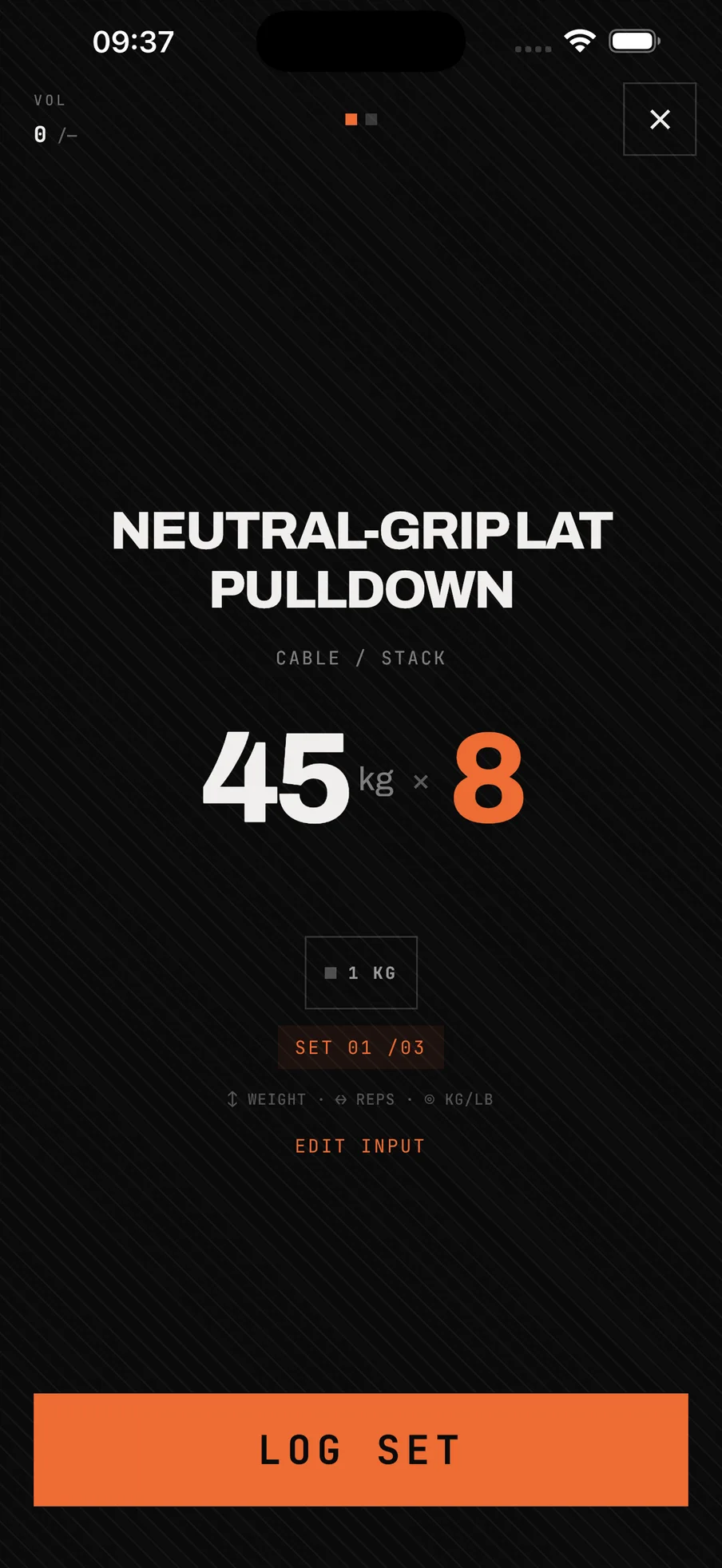
I settled on dragging very early. Typing a number means tapping small keys. Plus and minus arrows take up the screen. And I want this to be simple enough to live on a watch one day, so the interface has to be extremely simple.
In the first version there were two drags: one for the weight, one for the reps. I used it every day for nearly two weeks. It was fairly OK.
The graph changed the gesture
Using it, I felt something was missing: a graph that sets today’s weight against last time’s. I built it. Load goes up the side, reps run along the bottom, and every set is a block. The area of a block is its volume, in kilograms times reps.
Once the graph was on the screen, one drag made more sense than two: up and down for weight, left and right for reps. Those are the directions the block grows in.
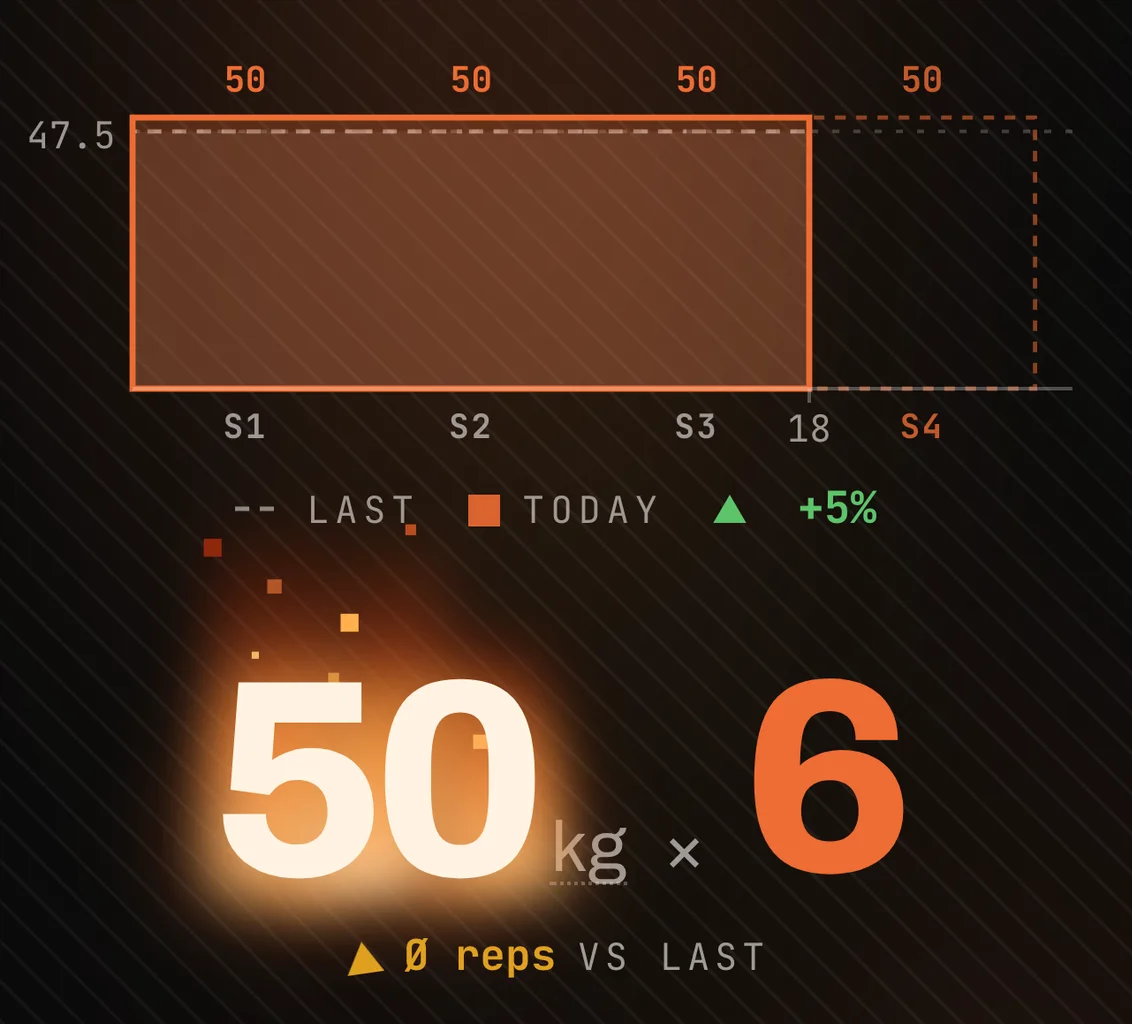
In this mock-up, last session was 47.5 kg for 18 reps: 855. Today is three sets at 50 kg: 900, five percent more. Volume here is kilograms times reps. It is not an energy measurement, and I don’t call it one.
A useful training number has to say what it measures. Sets marked 200 kg can be different kinds of effort: a squat, a machine leg press and a hold (keeping the weight still) don’t become equivalent because the number on the weight is the same. So baseline keeps the units visible. For lifts counted in reps it can show kg·rep. Holds stay in seconds, and carries (walking with a weight) stay as load × distance. Those three don’t belong in one pretend-precise total. The most useful comparison is your own previous set, with the same exercise and setup.
One set, then rest
The logging screen holds one exercise and one set. LOG SET is the only large button, and it sits where START WORKOUT sat on the home screen: along the bottom, in the same orange.
When a set is logged, the screen answers twice. First with the volume you just added. Then with a rest timer that takes over and counts down. Hold to skip it. Both are in the clip at the top.
The promise
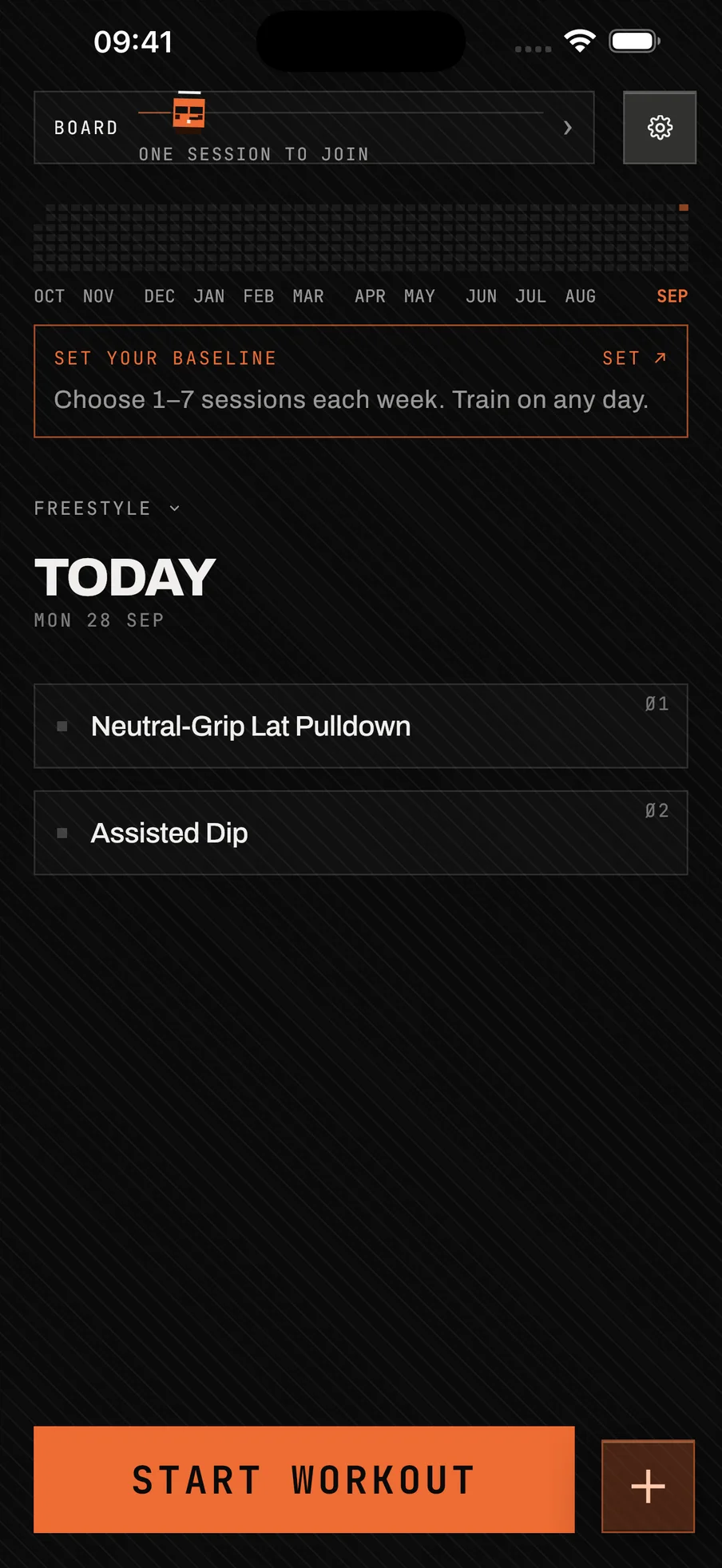
At first baseline was only for me. I didn’t care if anyone else used it. Then I saw that might be exactly why I wasn’t consistent, and staying consistent is the point of the app. So I added a social side, to feel some pressure.
Not too much, though. I didn’t want an app about who lifts more. I designed the board to score one thing: how true you are to yourself. You say how many sessions a week. Say four and do four, and you stand level with someone who says seven and does seven. How much you lift, and how often, don’t count. I set it to score over twelve weeks, and a missed day doesn’t roll over into the next week.
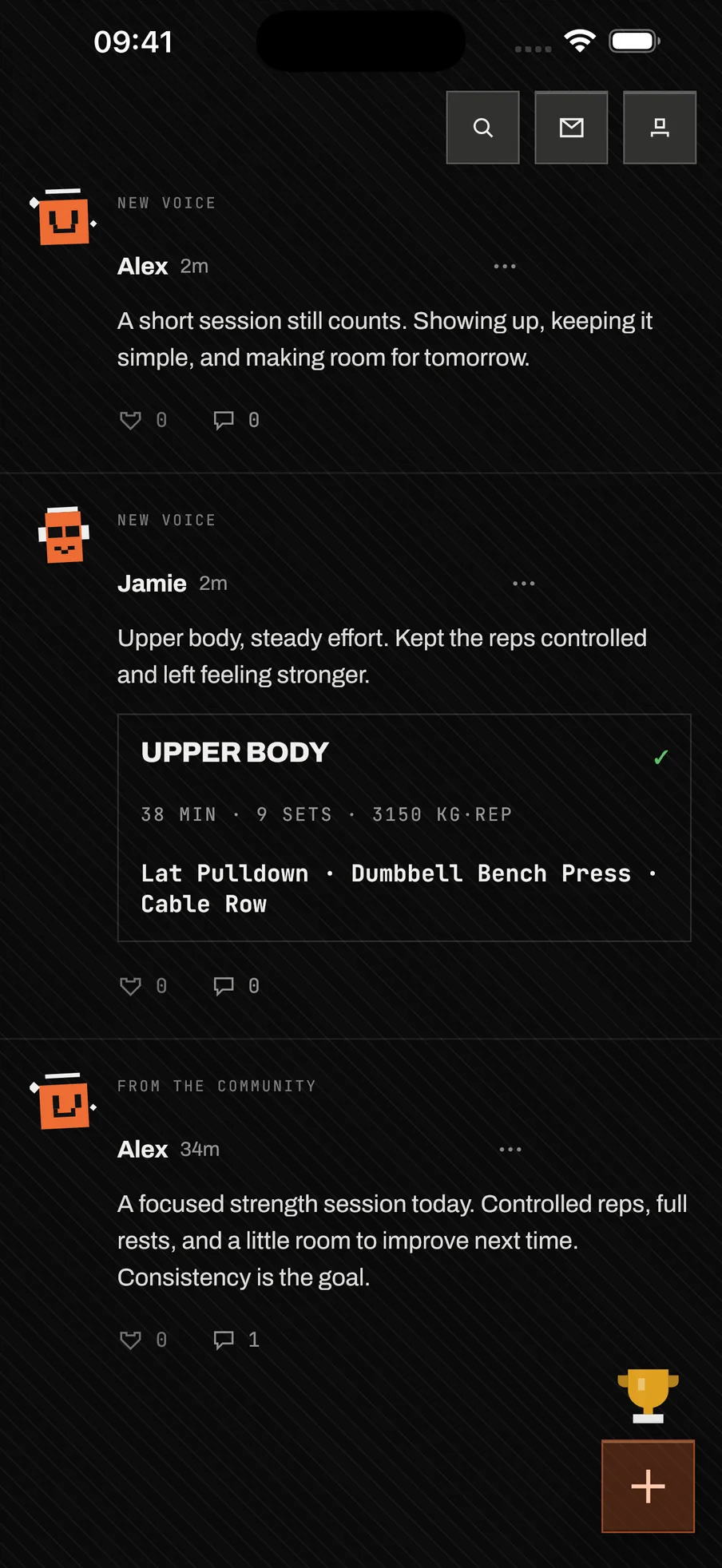
The feed came from somewhere else: a different app. I built that one, and only once it was running did I see the idea was too far from reality to work. Its feed moved into baseline and fit.
What this doesn’t prove
No downloads, retention or training results are claimed here, and I haven’t measured whether logging is faster this way. What I can show is the route, and where it ended up.